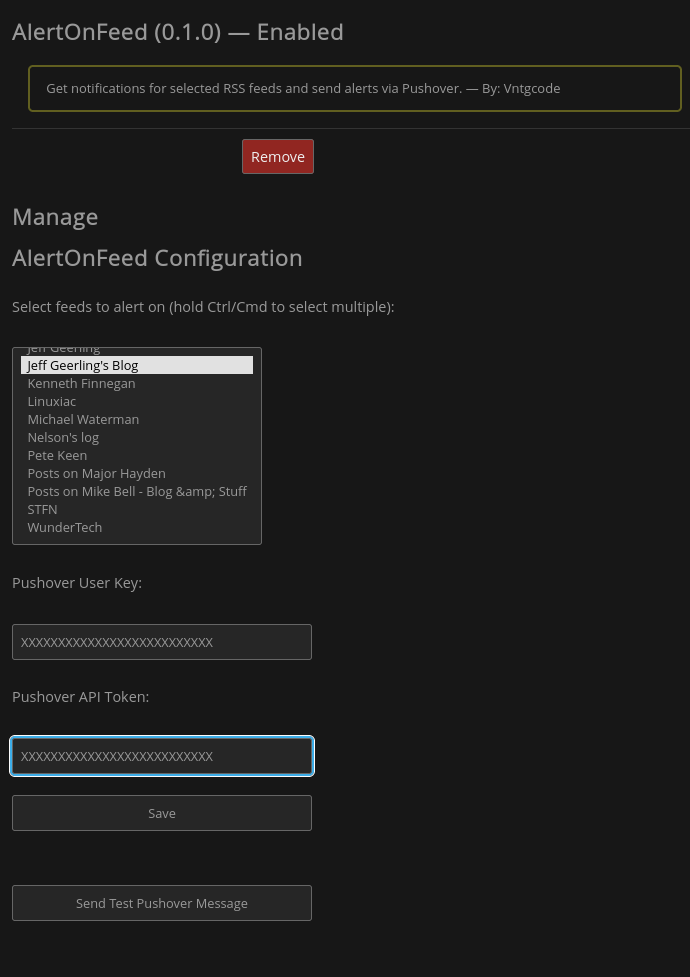
AlertOnFeed is a FreshRSS plugin that sends alerts via pushover when a selected feed receives an update.
Note
This plugin was built against FreshRSS edge (1.28.2-dev) and may not be compatible with older releases due to changes in the way user configuration values are stored and retrieved.
- Select feed by name
- Ignore read (filtered) articles
- Download the latest release
- Extract and upload it to the ./extensions folder of your FreshRSS installation
- Go to configure -> extensions in FreshRSS
- Find AlertOnFeed under User extensions
- Click on gear (configure) button
- Choose the feeds you want to monitor
- Set your pushover User Key
- Set your pushover API Token
- Choose whether to get alerted on read articles
- Click Save