Talk-A-Tive is a MERN chat application with one-to-one and group messaging, real-time Socket.IO updates, media/status uploads, an optional OpenAI assistant, and a two-player Tic-Tac-Toe game.
Live app: mern-chat-app-xlr3.onrender.com
- Email verification is required before login.
- Password-reset codes are emailed and stored as hashes with a 10-minute TTL.
- Passwords are hashed with
bcryptjs. - Authentication uses a signed JWT in an HTTP-only cookie.
- Text and media URLs are encrypted at rest with AES-256-GCM. Legacy AES-CBC messages remain readable.
- Authenticated endpoints validate chat membership and ownership/admin rights.
- Login, registration, messages, uploads, smart replies, and other sensitive routes have request limits.
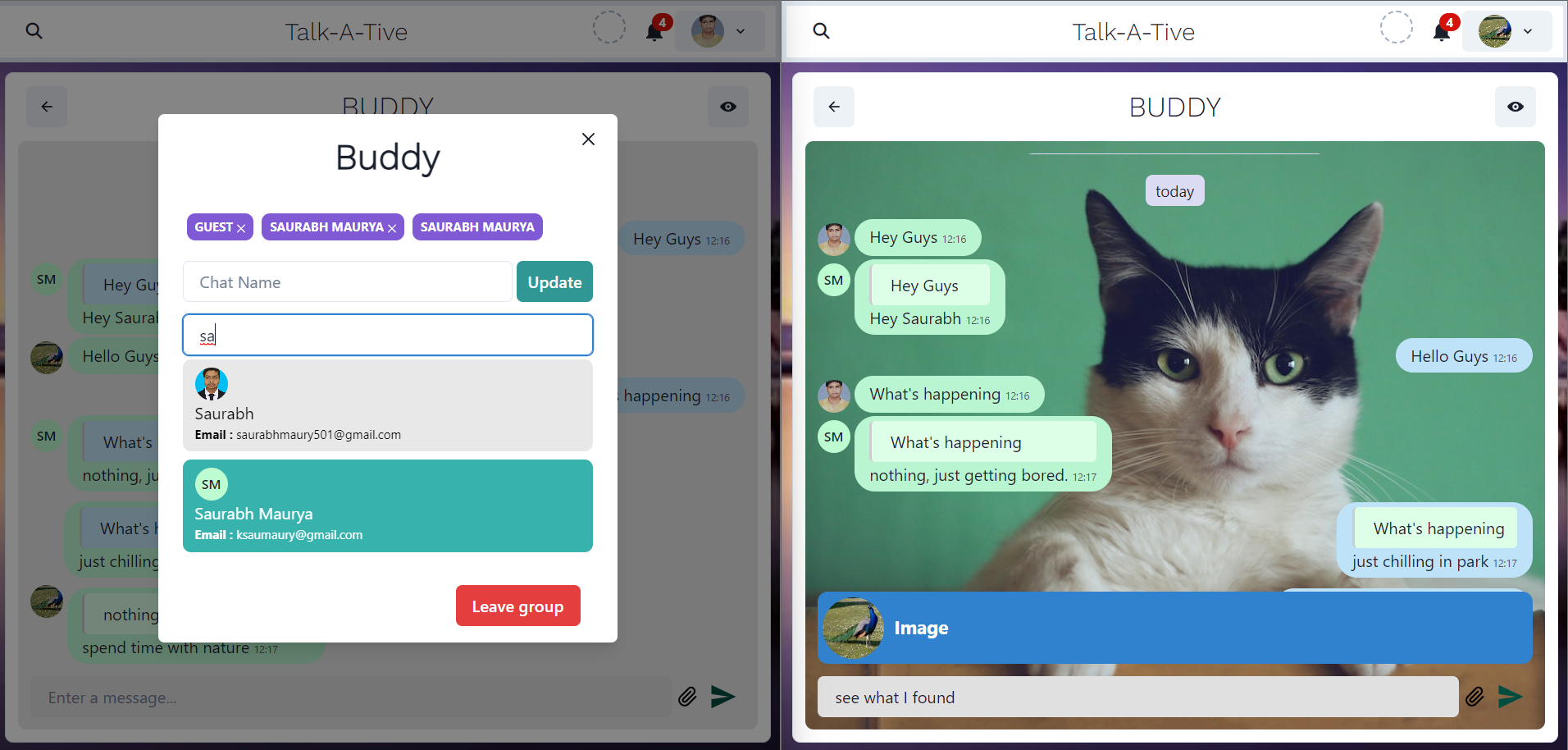
- One-to-one and group chats with Socket.IO delivery and typing indicators.
- Reply, forward, delete, mute/unmute, unread notifications, and latest-message previews.
- Image uploads through the authenticated backend and Cloudinary.
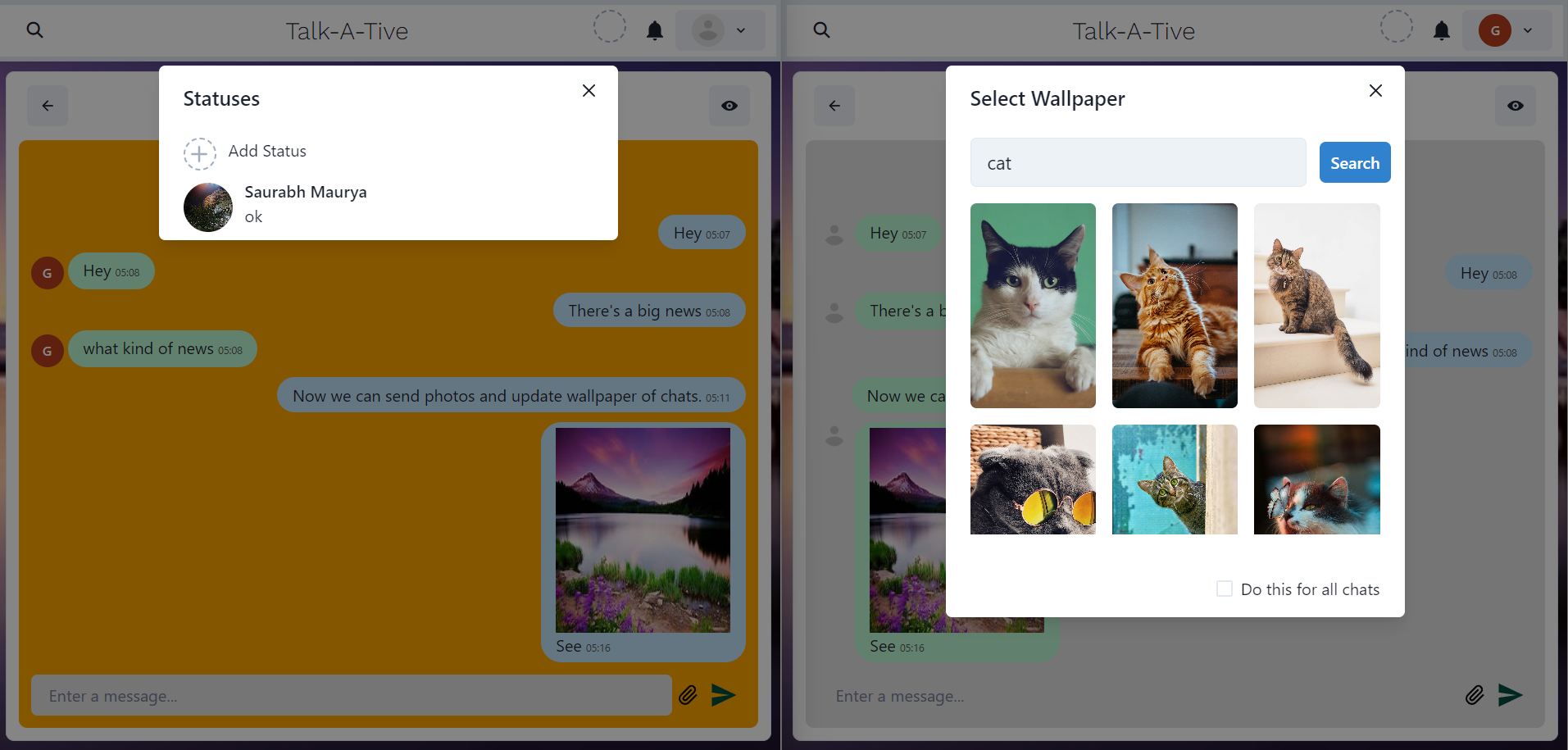
- Per-chat or all-chat wallpapers, including Unsplash search when configured.
- Desktop emoji picker anchored above the active message field.
- Browser-local timestamps rather than a fixed GMT display.
Group creators are admins. Only the group admin can rename or delete the group and add or remove members. All members can send messages.
- Search users by name or email and start a direct chat.
- Update the profile-picture URL.
- Publish an image status with a caption and delete your own status.
- MongoDB automatically expires statuses after 24 hours through a TTL index.
When OPENAI_API_KEY is configured:
- Each user receives a private chat with the system-managed Chat AI user.
- Chat AI uses recent encrypted chat history as context.
- Smart Reply generates one concise reply for a selected text message.
- AI and smart-reply endpoints are rate limited.
- Programming assistance can be enabled or disabled with
AI_ASSISTANT_ALLOW_PROGRAMMING.
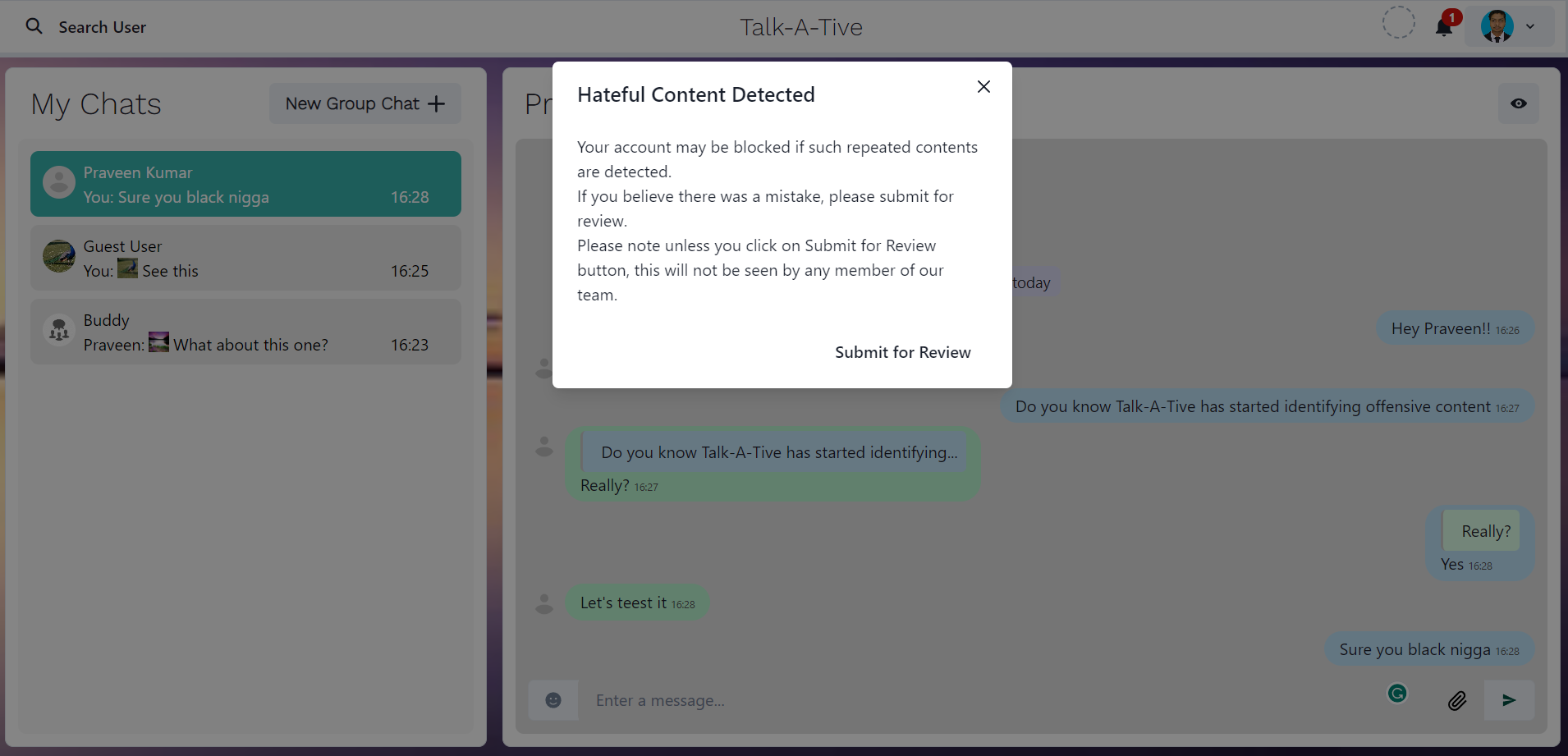
If MODERATION_API_URL is configured, sent text is checked by the external
Offensive Content Detection API.
Flagged messages increment the sender's foul count; an account is blocked at
10 fouls. Users can submit a disputed message for review, and admin-only routes
can process reviews. Google Sheets export is available when its credentials are
configured.
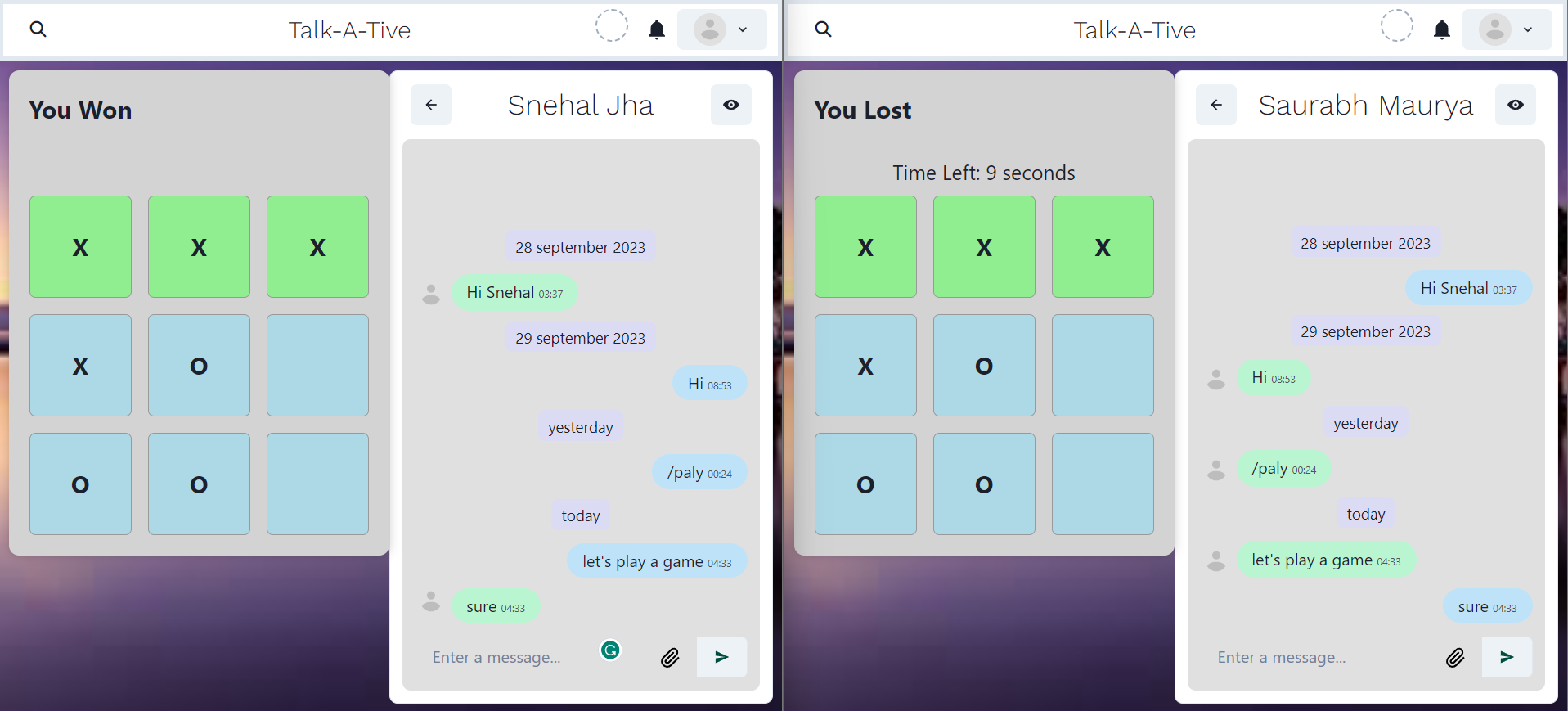
In a one-to-one chat, send /play. The other user can accept or reject the
invitation. Moves and turns are synchronized through Socket.IO.
- MongoDB and Mongoose
- Express 5 and Node.js 22
- React 18, Vite, Chakra UI, and Emotion
- Socket.IO
- bcryptjs and JSON Web Tokens
- Nodemailer
- Cloudinary
- OpenAI Responses API
- Google APIs and Unsplash (optional)
emoji-picker-element
Requirements:
- Node.js 22 (the repository pins
22.22.0in.node-version) - MongoDB, locally or hosted
- A Brevo API key and verified sender for production email. Gmail app credentials remain available as a local fallback.
git clone https://github.com/srbmaury/MERN-Chat-App.git
cd MERN-Chat-App
npm install --legacy-peer-deps
npm install --legacy-peer-deps --prefix frontend
cp .env.example .env
At minimum, replace these values in .env:
MONGO_URI=mongodb://127.0.0.1:27017/mern-chat
JWT_SECRET=replace-with-a-long-random-secret
ENCRYPTION_KEY=replace-with-a-long-random-secret
BREVO_API_KEY=xkeysib-your-api-key
FROM_EMAIL=your-verified-sender@example.com
FROM_NAME=Talk-A-Tive
Use .env.example as the complete configuration reference. Important optional
groups are:
OPENAI_*andAI_ASSISTANT_*for Chat AI and Smart ReplyCLOUD_NAME,API_KEY,API_SECRET, andUPLOAD_PRESETfor imagesUNSPLASH_ACCESS_KEYfor wallpaper searchMODERATION_API_URLfor content moderationCLIENT_EMAIL,PRIVATE_KEY, andGOOGLE_SHEET_IDfor Google SheetsEMAIL_IDandPASSWORDonly when using the Gmail SMTP fallback locally
Start the backend and frontend in separate terminals:
# project root
npm start

# second terminal, project root
npm start --prefix frontend
The frontend runs on http://localhost:3000 and proxies /api and Socket.IO
traffic to the backend on http://localhost:5000.
npm test
npm run build
The root build command installs frontend dependencies with npm ci and writes
the production bundle to frontend/dist. The Express server serves that bundle
and returns index.html for client-side routes such as /chats.
For a same-origin deployment such as Render, set:
NODE_ENV=production
API_BASE_URL=https://your-service.example.com
CLIENT_APP_URL=https://your-service.example.com
CLIENT_ORIGINS=https://your-service.example.com
COOKIE_SECURE=true
COOKIE_SAME_SITE=lax
Use npm run build as the build command and npm start as the start command.
The server also recognizes same-origin requests by their request host, so
authenticated POST requests work on the deployed domain. .node-version keeps
Render on Node 22 instead of an incompatible newer major version.
For a separately hosted frontend, set VITE_API_URL and VITE_SOCKET_URL in
frontend/.env.local at build time and include the frontend origin in
CLIENT_ORIGINS.
- Do not commit
.env; only.env.examplebelongs in source control. - Changing
ENCRYPTION_KEYmakes existing encrypted messages unreadable. - For multiline Google private keys, store newlines as
\n; the backend converts them at runtime. COOKIE_SECURE=truerequires HTTPS.- Production email uses Brevo's HTTPS API so it does not depend on outbound
SMTP support. Signup queues verification email delivery instead of blocking
the HTTP response. Configure
BREVO_API_KEY,FROM_EMAIL, andFROM_NAME.
Made with ❤️ by srbmaury