A Go CLI tool that turns your Obsidian vault into a fully offline knowledge backend for AI coding agents. NoteBrain indexes markdown notes into a local ChromaDB vector database and exposes semantic search, wikilink graph traversal, and hidden connection discovery through structured output — designed to be chained directly by autonomous agents, shell pipelines, and LLM tool-use workflows.
Ships with an AI agent skill and OpenCode Agent Configuration for integration with autonomous coding agents like OpenCode, Google Antigravity, Pi agent, and Claude Code. This setup is specially optimized to reduce token usage and latency.





Note
Hi, I'm Nimendra.
I use Obsidian daily as my primary note-taking solution. When AI agents emerged, I wanted to use my Obsidian vault as an RAG system.But most existing solutions don't fulfill my requirements.
While researching, I came across this article, which inspired this project.So I built this for my personal use. While you can use it directly, I highly encourage you to fork and modify this solution for your own use case.
I don't use Windows or macOS, so those versions aren't shipped directly, but you can compile the binary using the source code.
- Semantic Search — Find notes by meaning, not just keywords, using the offline
all-MiniLM-L6-v2ONNX embedding model. - Multi-Query Search — Search with multiple independent queries to improve retrieval for complex topics and AI agent workflows.
- Knowledge Graph Traversal — Explore your Obsidian wikilink graph through backlinks, multi-hop connections, and shared tag relationships.
- Hidden Connections — Discover semantically related notes that aren't explicitly linked, with optional deep section-level analysis.
- Graph-Boosted Ranking — Improve search relevance by combining semantic similarity with graph relationships.
- Interactive Terminal UI — Browse results with a fuzzy-search interface, plus intelligent guidance when searches return no matches.
- Advanced Filtering — Refine results by sections, tags, code blocks, tasks, and other note metadata.
- Full Note Retrieval — Reconstruct complete notes on demand from indexed content.
- Structured Output — Export results as JSON or TSV, with built-in JSONPath querying for easy automation.
- AI Agent Integration — Includes a built-in AI agent skill and dedicated for autonomous knowledge retrieval.
- Terminal Hyperlinks — Open notes directly from supported terminals using OSC 8 hyperlinks.
- Editor Integration — Open search results instantly in your preferred editor or directly in Obsidian.
- Obsidian-Aware Indexing — Respects your Obsidian configuration, including ignored files, attachment folders, and optional exclusion of empty-note references.
Note: Currently, this tool focuses on Markdown text only and does not support PDF or image OCR.
- Goldmark AST-Aware Chunking — Splits markdown by header hierarchy rather than arbitrary character offsets, strictly preserving lists, GFM tables, blockquotes/callouts, and code blocks.
- Embedded ChromaDB — Stores vectors directly on disk via
chroma-go. - Incremental Ingestion — SHA-256 content hashing skips unmodified notes in milliseconds on re-runs.
See the Architecture guide for more details.
- Go 1.26.4+
- CGO-enabled toolchain
- Linux (macOS and Windows binaries are untested)
Download a pre-built binary from the GitHub Releases page, or build from source:
git clone https://github.com/nmdra/notebrain-cli.git
cd notebrain-cli
make build          # CGO_ENABLED=1 go build -o notebrain .
sudo mv notebrain /usr/local/bin/
See the full Installation Guide for details.
1. Index your vault:
notebrain ingest --vault-path "/path/to/your/Obsidian Vault"Note: First-time indexing may take several minutes depending on your vault size.
2. Search your notes by meaning:
notebrain search "how do message brokers work?" --limit 5 --top-k 2

3. Discover deep hidden connections across note sections:
Find notes that share similar concepts without direct wikilinks, using --deep chunk-by-chunk section matching (§ <Heading>):
notebrain hidden "TLS" --deep

4. Get structured output for scripts and AI agents:
notebrain search "how do message brokers work?" --limit 2 --top-k 1 --format=json | jqExample JSON output

5. Chain commands to retrieve full notes:
# Extract slug from top search result
SLUG=$(notebrain search "message broker" --limit 1 --jsonpath="$.results[0].note_slug")

# Retrieve complete reconstructed note text
notebrain get "$SLUG" --jsonpath="$.text"
6. Automate indexing with a cron job or systemd timer so your index stays fresh (see Scheduled Ingestion).
7. Integration with AI Agents
Use the built-in AI agent skill and OpenCode Agent Configuration for knowledge retrieval.
Tip
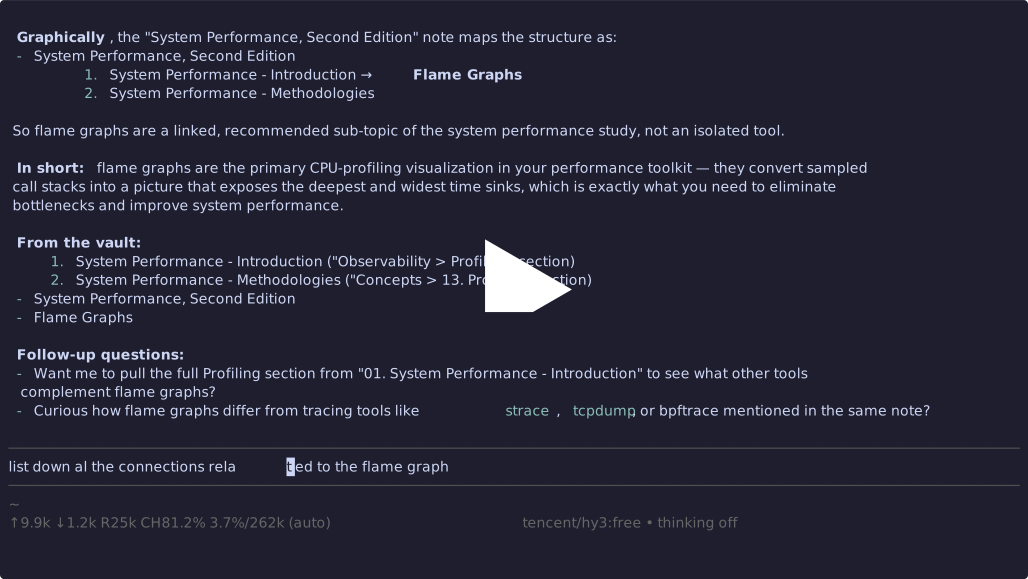
I highly recommend using the Pi Agent with the provided skill. It delivers higher-quality results, even with low cost models such as DeepSeek Flash, without consuming unnecessary tokens. It also improves cache hit rates, helping reduce overall costs.
For LLM models, use the default or medium thinking mode for fast responses.
NoteBrain reads configuration from a TOML file at ~/.notebrain/config/config.toml (or pass --config=/path/to/config.toml). CLI flags always override TOML values.
Copy the template to get started:
mkdir -p ~/.notebrain/config
cp config.example.toml ~/.notebrain/config/config.toml
Key settings (full reference):
vault-path = "/path/to/Second-Brain"
vault-name = "Second-Brain"
format     = "text"              # "text", "json", "tsv", "ndjson"

skip-attachments = true          # ignore image/file links in graph
skip-phantom     = true          # exclude uncreated "phantom" notes
respect-exclude = true # honor Obsidian's ignore rulesAll persistent data is stored under ~/.notebrain/:
| Path | Contents |
|---|---|
~/.notebrain/chroma/ |
ChromaDB vector store (embeddings, metadata, link graph) |
~/.notebrain/config/config.toml |
User configuration file |
To fully uninstall, remove the notebrain binary and delete ~/.notebrain/.
| Guide | Description |
|---|---|
| Installation | Prerequisites, pre-built binaries, building from source |
| Commands Reference | Full CLI command and flag documentation |
| Architecture | Internals: chunking pipeline, embedding, ChromaDB schema |
| Scheduled Ingestion | Cron and systemd timer setup for background indexing |
| AI Agent Skill Usage | Using the built-in AI agent skill for autonomous retrieval |
| OpenCode Agent Integration | Configuring NoteBrain as an OpenCode AI coding assistant |
| DeepWiki | AI-generated codebase documentation |
Contributions are welcome! Please open an issue or pull request on GitHub.
This project uses Conventional Commits, Go vendoring (vendor/), and pre-commit hooks via Lefthook.
MIT License — Copyright © 2026 nmdra